Free GIF Face Swap Online

Add a photo to any meme or reaction GIF for a clean GIF face swap in seconds. Free, HD, no watermark.
Source GIFUpload a GIF with a clear, visible face for the best swap result.

Target FaceThis is the new face that will appear in your GIF. Upload a clear, front-facing face photo for accurate results.



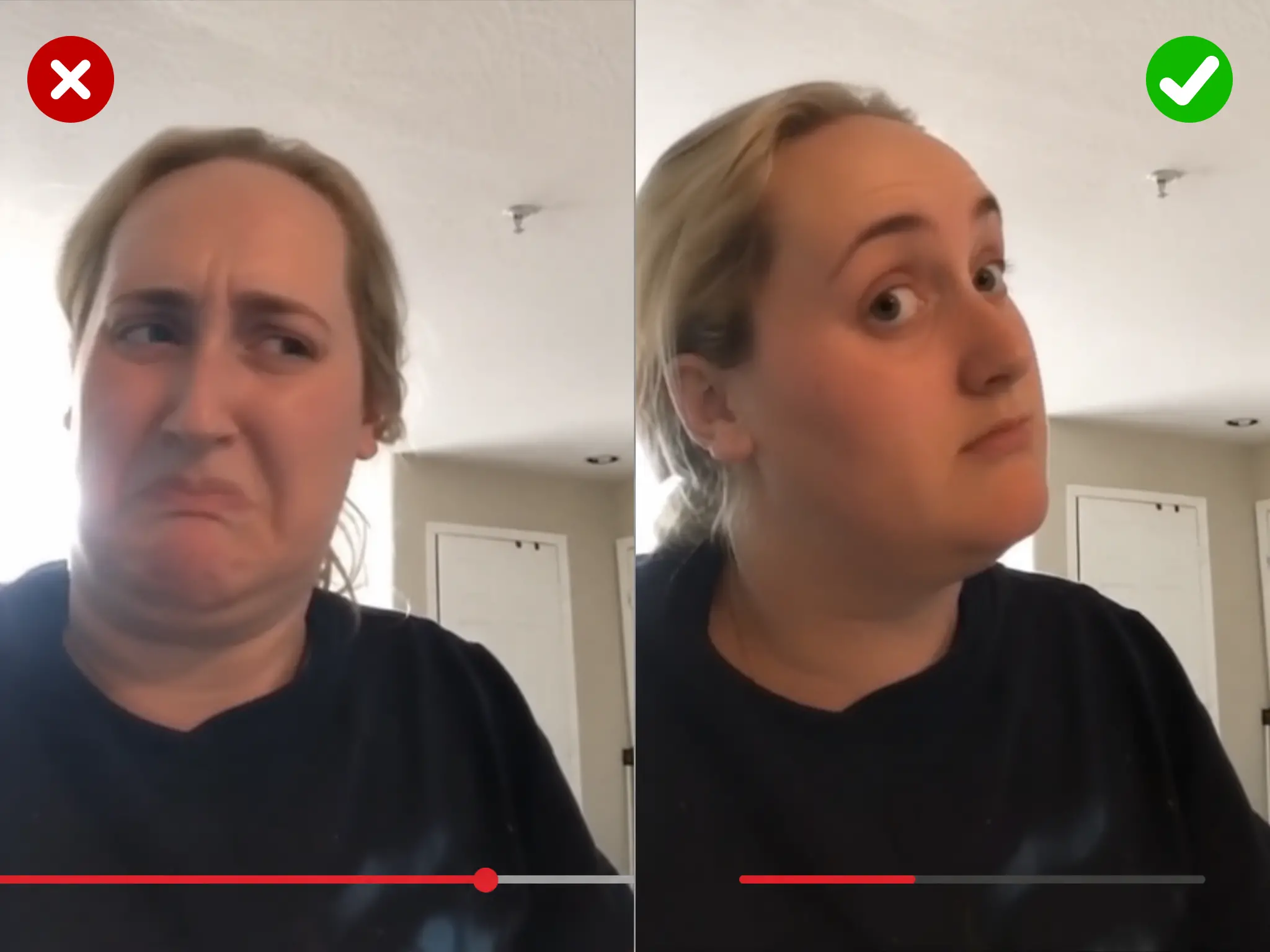





Sample GIF face swap before-and-after preview

Swap a Face in a GIF in Seconds

Upload an animated GIF, add one clear photo of the face you want, and the tool rebuilds every frame with the new face in place. It keeps the original motion, timing, and expression, so a laugh still reads as a laugh and a nod still lands. You only need one source photo — the same simple input as a photo face swap — so there is nothing to learn and no timeline to edit.
Swap a Face in a GIF in Seconds

Free GIF Face Swap With No Watermark

Every result comes out clean, with no watermark stamped across your frames. The tool is free to use, so you can test a few faces on the same clip, keep the one that fits, and share it without cropping a logo out first. What you make is what you get, watermark free.

Free GIF Face Swap With No Watermark

AI GIF Face Swap With No Sign Up

Start an AI face swap gif without an account. There is no login wall, no app to install, and no download before you can try it. The whole thing runs in the browser on your phone or your desktop. Open the page, upload your files, and go.

AI GIF Face Swap With No Sign Up

Realistic Face Swap GIFs

A GIF is many frames, and a rough tool shows its seams when the head turns or the light shifts. This one matches skin tone, angle, and lighting on each frame, then reassembles them in the original order. The output holds up in motion instead of flickering between good and bad frames.

Realistic Face Swap GIFs

Animated GIF Face Swap for Longer Clips

Many face swap tools cut you off at a few seconds. This one handles longer clips than most tools on the market — the same generous range as our video face swap. That headroom covers most reaction GIFs, meme loops, and short scenes without forcing you to trim first.

Animated GIF Face Swap for Longer Clips


HD GIF Face Swap Output

This tool includes an HD output option, so the swapped face keeps more detail instead of looking grainy or blocky. Turn it on before you run the swap, and the tool renders the frames at higher quality before rebuilding the GIF. Either way the GIF downloads watermark free.

HD GIF Face Swap Output

How It Works

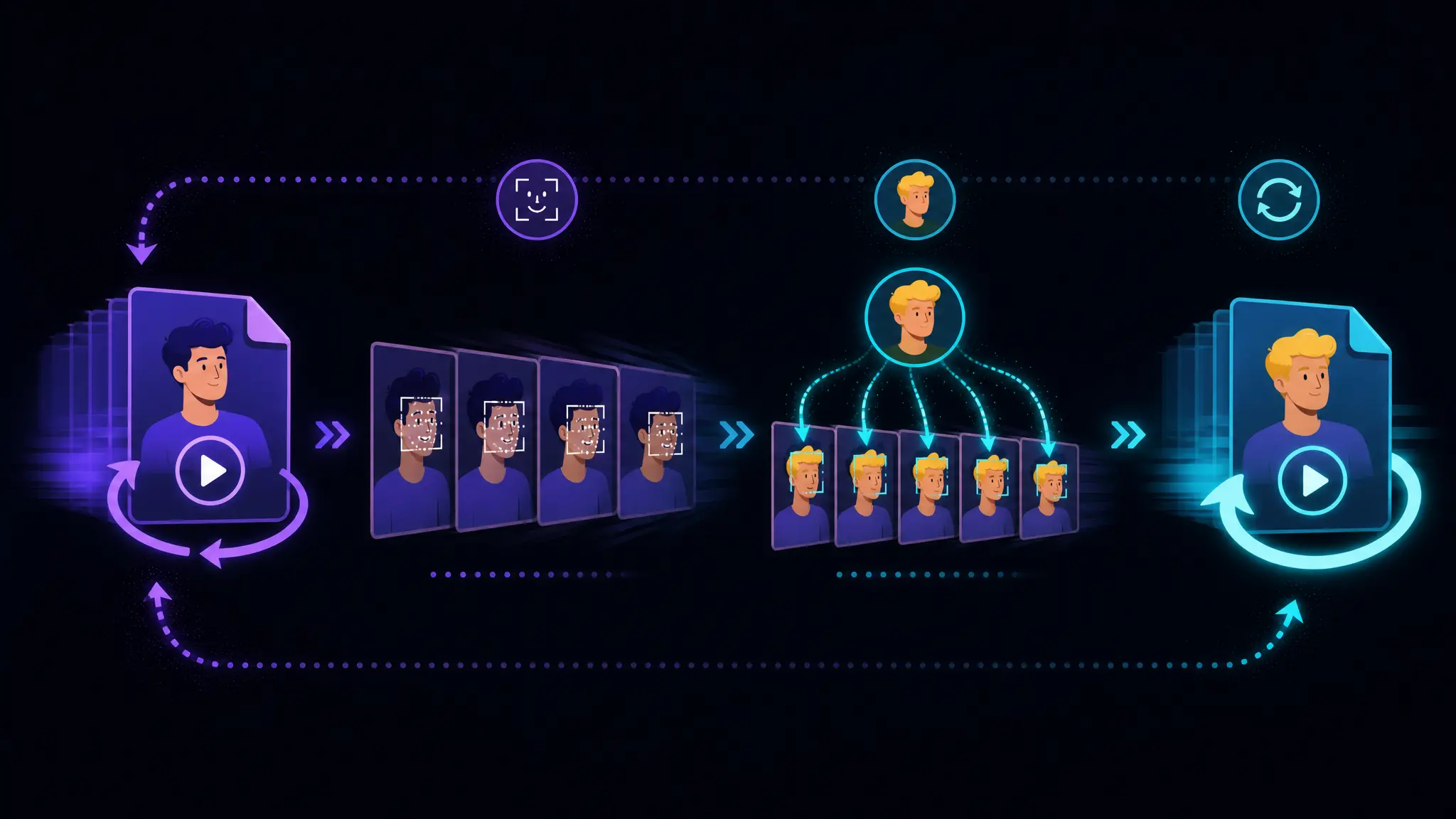
GIF face swap is a free FaceSwap AI tool that swaps the face in an animated GIF, frame by frame.

  1. 1
    Split the GIF into frames

    When you upload your files, the tool first splits the GIF into its individual frames, so each one can be handled on its own.

  2. 2
    Detect the face on every frame

    It then detects the face in each frame and reads its angle, size, and lighting, frame by frame.

  3. 3
    Map your photo onto each frame

    Your source photo becomes the new face, mapped onto the detected face in every frame, matching skin tone and orientation.

  4. 4
    Rebuild the GIF

    Finally it stitches the frames back together in the original order and timing, and hands you a finished GIF, ready to download.

How a GIF face swap works

Why Creators Choose Our Face Swap GIF Tool

Experience the reliable, secure, and user-friendly generator available today.

One suite for GIF, video, and photo

Start with a face swap gif, then move to video or photo for the same project without switching tools or learning a new flow.

Privacy and consent come first

Use the tool on content you own or have permission to edit. Your uploads are there to make your result, not to be sold or reused.

Output you can publish and reuse

The result is a clean, standard GIF, so it holds up in a post or a campaign. What you make is yours to reuse.

How to Swap a Face in a GIF

  1. 1
    Step 1 · Upload your GIF

    Choose the animated GIF you want to change. Keep it short and reasonably sized. Clips where the face stays visible give the best result.

  2. 2
    Step 2 · Upload one face photo

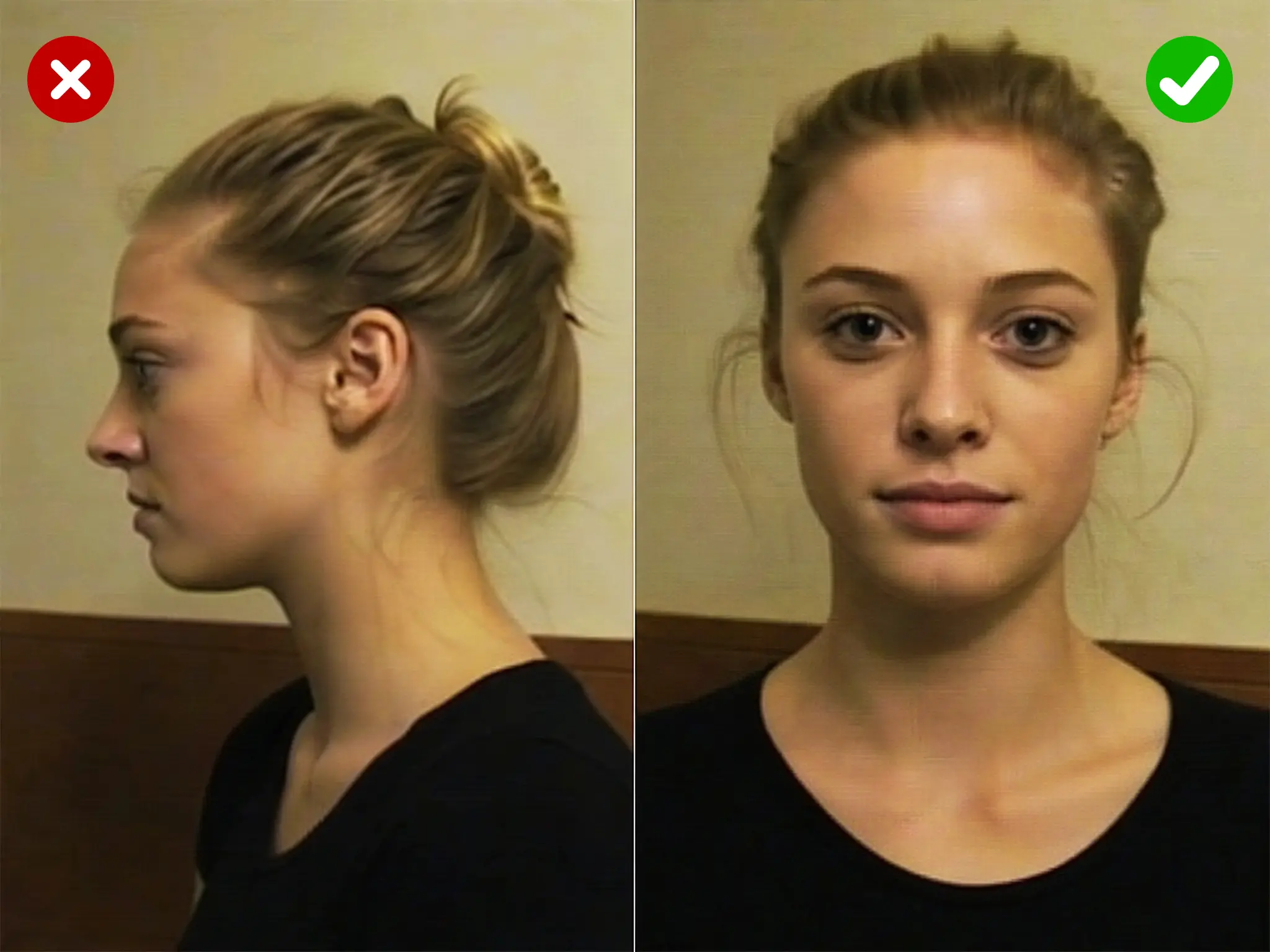
    Add a clear, front facing photo of the face you want to drop in. Good light and a straight angle help the swap match every frame.

  3. 3
    Step 3 · Generate and download

    Run the swap and wait a few seconds. Preview the result, then download your face swap gif with no watermark, ready to share.

Three steps to swap a face in a GIF

Tips for the Best Results

Match the photo angle

If the face in your GIF is turned to the side, a straight on photo can look off. A source photo shot from a similar angle blends more naturally across frames.

Use a clear GIF

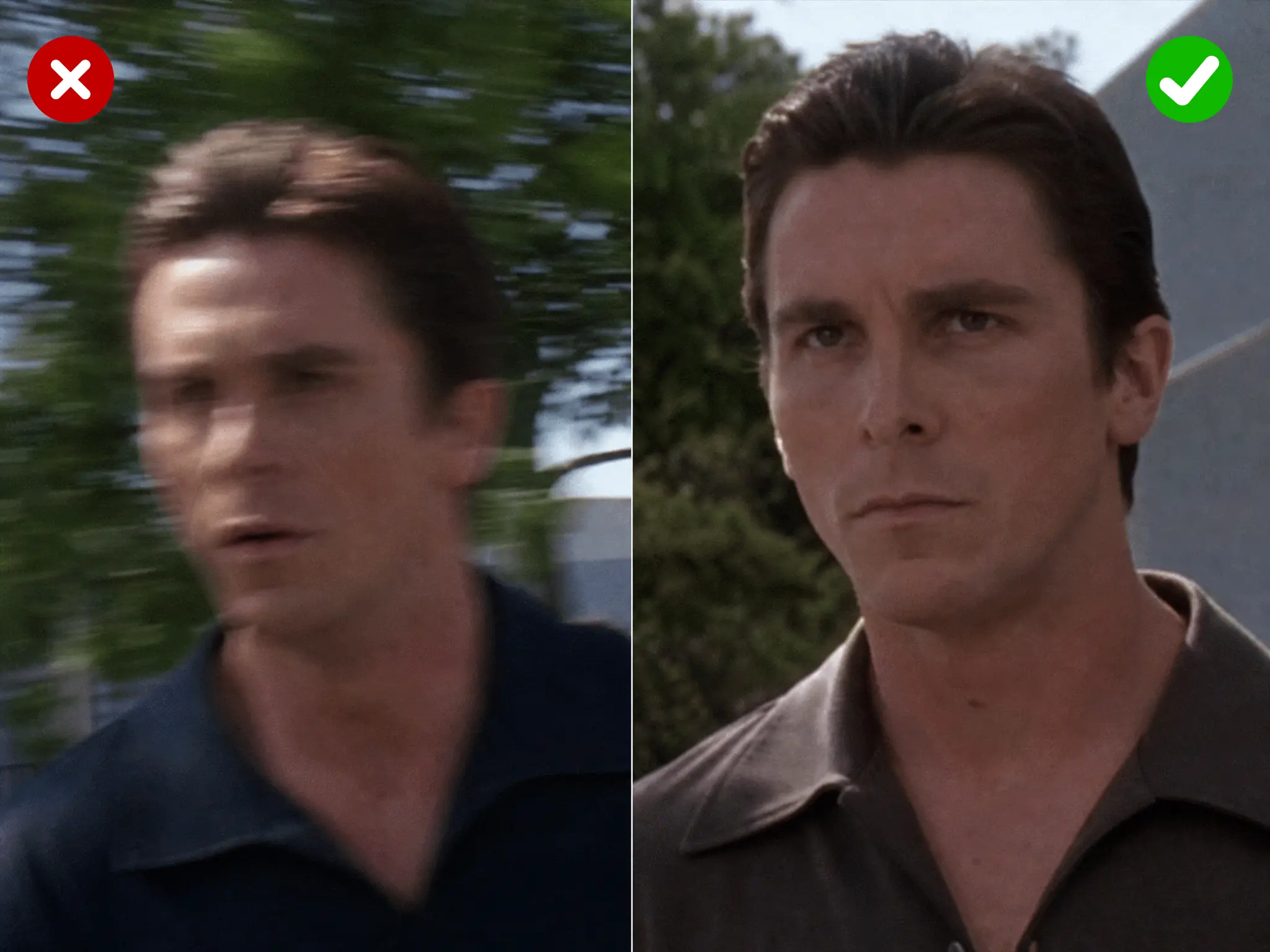
Fast motion, quick cuts, or a face that leaves the frame make tracking harder. Clips where the face is clear and steady give the cleanest swap.

Light the face well

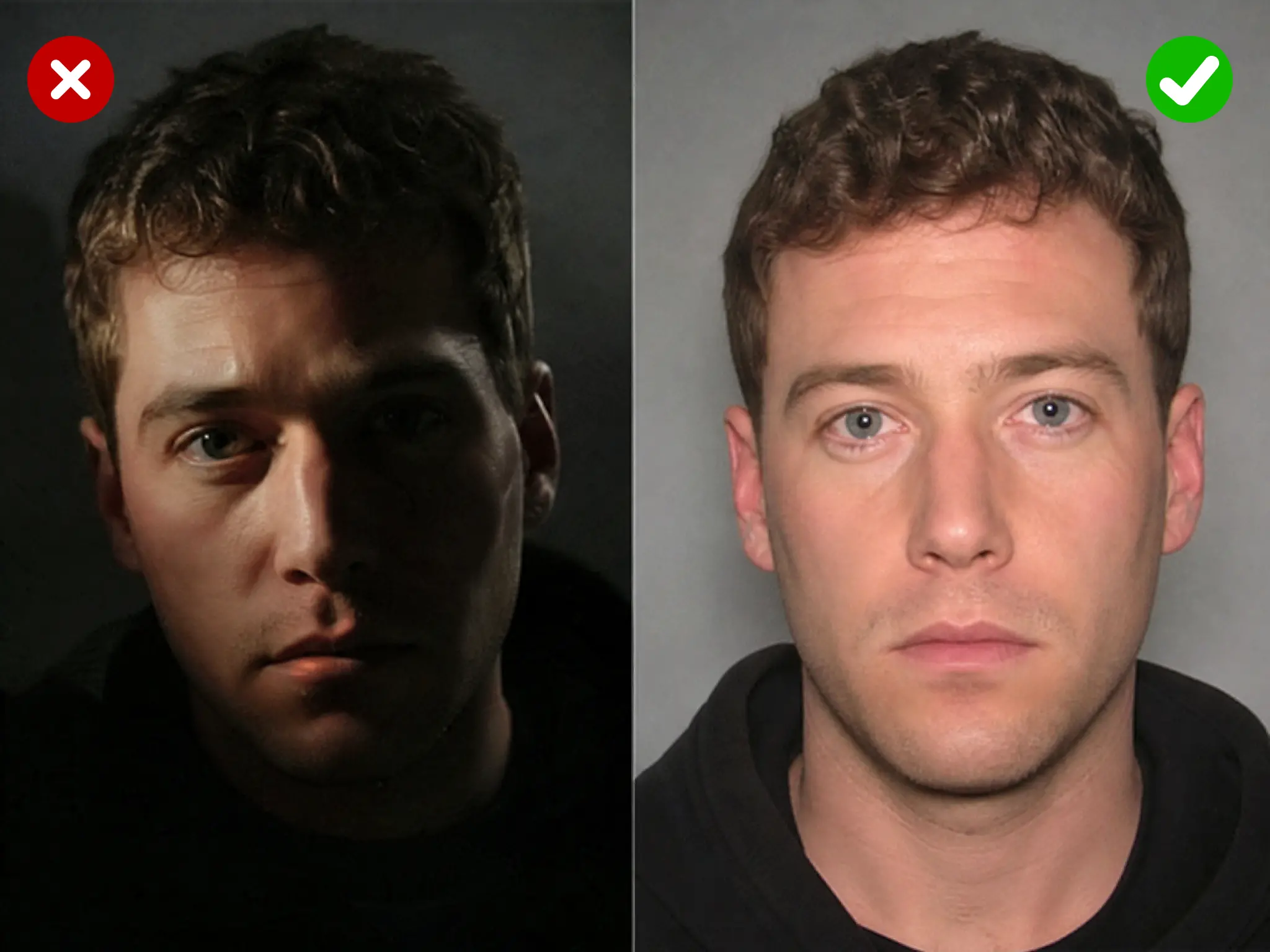
A well lit, front facing photo gives the tool more detail to work with. Harsh shadows or a dark image can soften the result once it is mapped onto every frame.

Mind the file size

Keep the clip within the upload limit and it processes cleanly. Shorter clips also process faster and let you test a few source photos before you settle on the final GIF.

GIF Face Swap Use Cases

Reaction GIFs for chats

Reaction GIFs for chats

Put your own face, or a friend's, into a classic reaction clip.

Meme GIFs

Meme GIFs

Drop a face onto a well known meme loop and the joke gets personal.

Birthday and holiday greetings

Birthday and holiday greetings

Add the birthday person's face to a celebration clip and the card animates instead of sitting still.

Group chat jokes with friends

Group chat jokes with friends

Face swap your friends into a dramatic scene or a dance loop.

Social media posts and stories

Social media posts and stories

A short face swap gif catches the eye in a feed without editing out a watermark first.

Fandom and movie moment GIFs

Fandom and movie moment GIFs

Put yourself into a favorite film or show moment and share it with a fan community.

Content creator B-roll

Content creator B-roll

Swap a face into a stock reaction or a bit you reuse, and turn one GIF into several variants.

Team and event GIFs

Team and event GIFs

Swap a teammate's face into a highlight or a celebration loop for a channel or launch.

Pic to GIF face swap

Pic to GIF face swap

One photo as the source, one GIF as the target, one animated result out.

What Users Say

Real feedback from creators who swapped in FaceSwap AI.

Maya R.
Maya R.Verified creator

I run a meme page, so I am making reaction GIFs all day. This one has no watermark and costs nothing, so I stopped rationing and just make what I want.

Devin T.
Devin T.Verified creator

Because there is no sign up, a new member can make a face swap gif right in the browser without installing anything.

Priya K.
Priya K.Verified creator

With the HD option the result comes out clean enough for a campaign, not just a one time laugh. Every export is watermark free.

Jordan L.
Jordan L.Verified creator

This tool is quick, and I can try a few faces on the same loop before I commit to one.

Sam O.
Sam O.Verified creator

Doing a face swap on my phone in the browser, with no sign up, means I can fire one back before the moment passes.

Elena V.
Elena V.Verified creator

Adding someone's face to a celebration GIF turns a flat greeting into something that actually moves, and people love it.

Maya R.
Maya R.Verified creator

I run a meme page, so I am making reaction GIFs all day. This one has no watermark and costs nothing, so I stopped rationing and just make what I want.

Devin T.
Devin T.Verified creator

Because there is no sign up, a new member can make a face swap gif right in the browser without installing anything.

Priya K.
Priya K.Verified creator

With the HD option the result comes out clean enough for a campaign, not just a one time laugh. Every export is watermark free.

Jordan L.
Jordan L.Verified creator

This tool is quick, and I can try a few faces on the same loop before I commit to one.

Sam O.
Sam O.Verified creator

Doing a face swap on my phone in the browser, with no sign up, means I can fire one back before the moment passes.

Elena V.
Elena V.Verified creator

Adding someone's face to a celebration GIF turns a flat greeting into something that actually moves, and people love it.

GIF Face Swap FAQs

Answers to the most common GIF face swap questions.

GIF face swap replaces the face in an animated GIF with a face from a photo you provide. You upload the GIF as the scene and one photo as the source, and the tool rebuilds each frame while keeping the original motion.

Upload your GIF, upload one clear face photo, run the swap, preview, and download. There is no timeline to edit and nothing to install.

Yes. The tool is free to use, and the result is not locked behind a paywall or stamped with a trial watermark.

No. Every result downloads without a watermark, ready to post to a chat, a feed, or a thread.

No account is required. Open the page, upload your GIF and your photo, and run the swap in the browser.

The tool handles longer clips than most face swap tools. Very large files may need a quick compress first; more frames mean a slightly longer wait.

Yes. The tool runs in the browser on a phone, tablet, or desktop without a separate app.

Ready to make your first GIF face swap?

Upload a GIF, add a photo, and get a clean result in seconds. Free to use, no watermark, no sign up.

Start Your GIF Face Swap